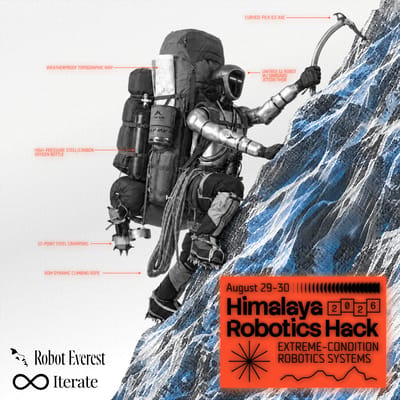
Himalaya Robotics Hack
Build robots for extreme conditions with LiveKit. Presented by Iterate with Robot Everest, in San Francisco, on August 29–30, 2026. The four challenges are onboard autonomy (inference on Jetson Thor, no cloud), movement across ice and broken terrain, hardware durability, and dependable satellite comms.
LiveKit is the transport layer for the parts of that stack that have to cross a network: teleop, remote inference, live video off the robot, and a voice interface for the operator. WebRTC underneath means no VPN, no port forwarding, and congestion control that degrades gracefully instead of stalling when the link gets thin — which is what you want behind a satellite hop.
Start here: docs.livekit.io/robotics — the robotics docs cover teleop, observability, remote inference, and voice interactions, plus the hardware platforms you'll be on this weekend: embedded Linux, Nvidia Jetson (with hardware-accelerated video encoding), and ESP32. And if you already have a ROS 2 graph running, ROS Portal bridges it over LiveKit — see step 3.
1. Install the LiveKit Docs MCP server
Keeps your coding agent on the rails. It pulls live docs, code examples, and changelogs straight into Cursor / Claude Code / VS Code so you stop fighting hallucinations.
Claude Code
claude mcp add --transport http livekit-docs https://docs.livekit.io/mcp
Cursor — one-click install
VS Code
code --add-mcp '{"name":"livekit-docs","type":"http","url":"https://docs.livekit.io/mcp"}'
Codex
codex mcp add --url https://docs.livekit.io/mcp livekit-docs
Full reference and other clients: docs.livekit.io/mcp.
Or use the LiveKit Agents skill
If you'd rather use a Claude Code skill instead of (or alongside) the MCP server:
npx skills add https://github.com/livekit/agent-skills --skill livekit-agents
Activates automatically for relevant tasks, or invoke with /livekit-agents.
2. Teleop and remote inference with LiveKit Portal
LiveKit Portal synchronizes cameras, joint state, and actions between a robot and whoever — or whatever — is driving it. Robot, policies, and human operators all join one room, and you hand control between them with set_active_operator().
pip install livekit-portal
Run the two-process example to see the loop end to end:
cd examples/python/basic
uv sync
uv run robot.py              # terminal 1 — the robot side
uv run teleoperator.py       # terminal 2 — the operator side
Already on LeRobot:
pip install lerobot-robot-livekit
What matters for this hackathon:
- Observations arrive fused — frames and state land together with matching timestamps, so your policy isn't guessing at alignment
- Lossless video modes — RAW, PNG, or MJPEG when your model needs pixel-exact input; WebRTC video when you'd rather have the bandwidth
- Human-in-the-loop — a policy drives while a human demonstrates corrections, with one continuous action stream
- Rust core, Python bindings over UniFFI — the same transport onboard the Jetson and on the operator's laptop
Read the docs alongside it: Teleoperation for the control-loop patterns, Realtime media & data for codecs and Jetson hardware encoding, and Integrations for ROS and LeRobot.
Building outside Python? The SDKs are all here: Rust · Python · C++
3. Already on ROS 2? Bridge the graph with ROS Portal
ROS Portal connects a ROS 2 graph to any other LiveKit participant — another ROS 2 graph, a browser, a cloud policy — without exposing DDS across networks. It forwards the topics you list as schema-described DataTracks, forwards service calls over RPC, and publishes sensor_msgs/msg/Image topics as real LiveKit video tracks. Supported distros: Humble, Jazzy, Kilted, Lyrical. It's in Developer Preview — expect rough edges.
Step 1 — mint a token
ROS Portal reads two environment variables. Point LIVEKIT_URL at your Cloud project, then mint a JWT with the LiveKit CLI. The token carries the room name and the participant identity, and it needs --allow-update-metadata so Portal can advertise itself with the lk.robot attribute:
export LIVEKIT_URL=wss://<your-project>.livekit.cloud
export LIVEKIT_API_KEY=<api-key>
export LIVEKIT_API_SECRET=<api-secret>

export LIVEKIT_TOKEN="$(lk token create \
  --join \
  --room himalaya \
  --identity robot \
  --allow-update-metadata \
  --valid-for 24h \
  --token-only \
  --yes)"
For a local livekit-server --dev instead, use ws://127.0.0.1:7880 and add --dev to the token command.
Step 2 — declare your routes
Credentials live in the environment; the YAML only describes what crosses the link and in which direction. Save this as ros_portal.yaml on the robot:
ros_portal:
  version: "0.0.1"
  ros_threads: 4          # keep > 1 so remote ros2 CLI calls get a free thread

  topics:
    # Front camera out as a real LiveKit video track.
    - topic: "/camera/front/image_raw"
      direction: "out"
      video_options:
        bitrate_kbps: 1500

    # Telemetry out, throttled — the operator doesn't need 100 Hz IMU.
    - topic: "/imu"
      direction: "out"
      max_rate_hz: 10
    - topic: "/diagnostics"
      direction: "out"
      max_rate_hz: 2

    # Static transforms are latched: routed over reliable RPC so a
    # late-joining operator still gets them.
    - topic: "/tf_static"
      direction: "out"
      latched: true

    # Drive commands in.
    - topic: "/cmd_vel"
      direction: "in"
Omit config_path entirely and you get the builtin default — every topic, both directions. Fine for a first smoke test, wasteful over a satellite link.
The operator side is the same file with the directions flipped (/cmd_vel out, camera and telemetry in). To call a robot service from the operator graph, add a route naming who answers it:
  services:
    - service: "/estop"
      direction: "out"
      participant: "robot"
      msg_type: "std_srvs/srv/SetBool"
Add $schema: https://raw.githubusercontent.com/livekit/ros-portal/main/src/ros_portal_config/schema/ros_portal_config.schema.json at the top of the file for editor autocomplete and validation.
Step 3 — run it
Fastest path for a hackathon is the Docker image — no install, one command per side:
export ROS_DISTRO=jazzy
docker run --rm \
  --network host \
  -e LIVEKIT_URL \
  -e LIVEKIT_TOKEN \
  --volume $(pwd)/ros_portal.yaml:/config/ros_portal.yaml:ro \
  livekit/ros-portal:$ROS_DISTRO \
  ros2 launch ros_portal ros_portal.launch.py \
  config_path:=/config/ros_portal.yaml
Running natively on the Jetson instead? Grab the .deb for your distro and arch from releases:
sudo apt update
sudo apt install ./ros-$ROS_DISTRO-livekit-portal*.deb
source /opt/livekit/ros/$ROS_DISTRO/setup.bash
ros2 pkg prefix ros_portal        # sanity check
Start the operator side with its own token (--identity operator, same --room) and config, and the two graphs are talking. ros2 topic list on the operator only shows a bridged topic once something publishes it — Portal creates endpoints lazily, so an empty list early on is expected, not broken.
Poke at the remote graph
Portal forwards a subset of the ros2 CLI over RPC as local services, each taking the remote identity:
ros2 service call /ros_portal/ros2_topic_list \
  ros_portal_msgs/srv/Ros2TopicList \
  "{participant_id: 'robot', show_types: true}"
The output field is the same text you'd get running ros2 topic list on the robot itself — useful when the robot is a hundred meters up a slope and you are not.
Worth reading before you build
- Turtlesim over LiveKit — two ROS graphs on one machine, isolated by
ROS_DOMAIN_ID, connected only by a LiveKit room. Best 15 minutes you can spend on this. - Configuration reference —
max_rate_hzis lossy on aggregate topics like/tf; read that section before you throttle anything load-bearing. - Working robot stacks:
cobra_flex_ros(Waveshare Cobra Flex teleop) andwaver_ros(WAVE ROVER teleop + autonomous nav on a Raspberry Pi).
4. Give it a voice
An operator with gloves on at altitude is not going to use a keyboard. LiveKit Agents gets you a real-time voice interface in four commands:
brew install livekit-cli     # or: curl -sSL https://get.livekit.io/cli | bash
lk cloud auth
lk app create                # clone the agent starter
cd your_agent_directory && uv sync && uv run src/agent.py download-files && uv run src/agent.py console
You're now talking to your agent. All of the agent code lives in src/agent.py — wire your robot's commands in as function tools and you have voice control over the same LiveKit room the teleop stream is on.
- Voice AI quickstart
- Python agent examples — see what's possible before you build
For a web or mobile frontend, lk app create again and pick a template (e.g. agent-starter-react), then pnpm install && pnpm dev. Or skip the frontend entirely and use a prebuilt sandbox.
5. Redeem your $50 in inference credits
All attendees get a 7-day free trial — $50 in inference credits, no credit card required.
- Create a project at cloud.livekit.io
- Redeem at cloud.livekit.io/projects/p_/redeem
- Code:
HACK-HIMALAYA-ROBOTICS
6. Ship it
When your agent works locally, deploy from inside the agent directory:
lk agent create
Then test against the frontend you cloned, or a sandbox.
CLI reference: docs.livekit.io/intro/basics/cli.
Ideas, by challenge track
- Onboard autonomy — run the policy on the Jetson, use Portal only for the operator's eyes and the takeover path. Nothing critical depends on the link being up.
- Terrain — stream synchronized camera + joint state off the robot while it walks, and let a human demonstrate corrections on the surfaces the policy fails on. That's a labeled dataset by the end of the weekend.
- Durability — every sensor you have, published as a data track. Build the dashboard that catches a bearing going bad before it seizes.
- Satellite comms — lean on adaptive bitrate: drop video resolution to keep the control channel alive, and see how thin a link you can still drive over.
Reference
- LiveKit Robotics docs — teleop, observability, remote inference, hardware platforms
- Robotics examples & starter apps
- LiveKit Portal — teleop and multi-policy cloud inference
- ROS Portal — bridge a ROS 2 graph over LiveKit (tutorials · config)
- LiveKit Agents docs · Python framework · Node.js framework
- SDKs: Rust · Python · C++